
Can You Remove Meta AI From WhatsApp? What You Can and Can’t Do

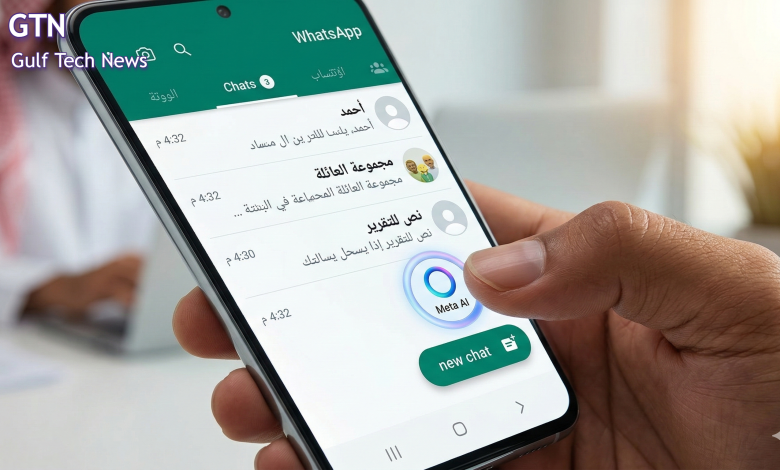
In most cases, you cannot fully remove Meta AI from WhatsApp as a platform feature. WhatsApp’s official guidance focuses on limiting your interaction with it instead. Users can avoid chatting with Meta AI, delete the Meta AI chat, remove it from groups, and turn off certain AI features that rely on Private Processing.
For most users, the practical answer is this: you can reduce your exposure to Meta AI, but you usually cannot completely disable or uninstall it from WhatsApp’s interface. That distinction matters because many people searching this topic want to know whether Meta AI can be hidden entirely, not just ignored. Based on WhatsApp’s current help documentation, the answer is generally no.
How to Limit Meta AI on WhatsApp
Delete the Meta AI Chat
If Meta AI appears in your chat list, you can delete that conversation like any other WhatsApp chat. WhatsApp also says users can delete their interactions with Meta AI and request deletion of information they previously shared with it.
Remove Meta AI From a WhatsApp Group
If Meta AI has been added to a group, WhatsApp says admins can remove it from that group. The Help Center provides a direct path through the group settings to remove Meta AI as a member. WhatsApp also notes that group admins can remove Meta AI at any time.
Turn Off Private Processing Features
Some AI functions, including message summaries and writing help, rely on Meta’s Private Processing system. WhatsApp says these features are optional, and the setting can be turned on or off in WhatsApp Settings → Chats → Private Processing. It also says this setting is turned off by default.
Stop Using Meta AI
WhatsApp describes Meta AI as an optional service. In practice, that means users do not have to message it or actively use AI features. If you do not interact with Meta AI, you reduce the amount of information you share through those AI experiences.
What You Usually Cannot Do
You Generally Cannot Completely Disable Meta AI
WhatsApp’s official documentation does not currently describe a universal setting that removes Meta AI everywhere in the app for all users. Instead, its guidance centers on managing usage, deleting chats, removing Meta AI from groups, and controlling certain optional AI tools. Availability also varies by country and rollout stage, which means the exact interface may differ between users.
Final Answer
If your goal is to completely remove Meta AI from WhatsApp, the current official answer is usually no. If your goal is to avoid it as much as possible, you can delete the Meta AI chat, remove it from groups, and turn off Private Processing-based AI features.
References
- WhatsApp Help Center — About Meta AI
https://faq.whatsapp.com/2257017191175152 - WhatsApp Help Center — About information used by Meta AI
https://faq.whatsapp.com/623460230302218 - WhatsApp Help Center — How to add or remove Meta AI as a group member
https://faq.whatsapp.com/1218480120491079 - WhatsApp Help Center — About Private Processing
https://faq.whatsapp.com/2089630958184255